



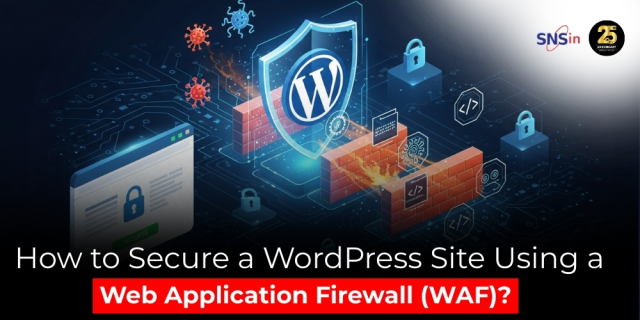
WordPress powers over 40% of all websites across the internet — from personal blogs to global e-commerce giants. Its flexibility, plugin ecosystem, and open-source nature make it the preferred choice for millions of businesses.
But with popularity comes risk. Hackers see WordPress as a goldmine of vulnerabilities — outdated themes, weak admin passwords, unpatched plugins, and misconfigured hosting environments all become easy entry points.
Even a single breach can cause massive disruption:
- Defaced web pages or loss of brand reputation
- Theft of customer data, financial info, or admin credentials
- Search-engine blacklisting (your site disappears from Google overnight)
- Legal consequences under privacy laws such as GDPR or India’s DPDP Act
- Weeks of downtime and cleanup costs
The good news? Most of these threats can be mitigated before they ever reach your hosting server — by deploying a Web Application Firewall (WAF).
In this article, we’ll explain how a WAF works, why it’s essential for WordPress websites in 2025, and how you can integrate and maintain one effectively.
What Is a Web Application Firewall (WAF)?:
A Web Application Firewall (WAF) acts as a protective gateway between your website visitors and your web server.
Whenever someone visits your site — whether to read a blog post, log in, or complete a purchase — their browser sends multiple requests to your server. A WAF examines each request in real time and filters out malicious or suspicious traffic.
In simpler terms:
Without a WAF: Hackers and bots can directly target your website.
With a WAF: Every request passes through a security filter that blocks harmful activity before it reaches your server.
A properly configured WAF can detect and stop:
- SQL Injection: attempts to insert malicious database queries.
- Cross-Site Scripting (XSS): injection of harmful JavaScript into your web pages.
- Brute-Force Logins: repeated automated attempts to guess admin credentials.
- DDoS (Distributed Denial of Service): floods of fake traffic that crash your site.
- XML-RPC Exploits: abuse of remote publishing features to amplify attacks.
By filtering these threats at the network edge, the WAF reduces strain on your hosting infrastructure, minimizes downtime, and improves both security and performance.
Why Every WordPress Site Needs a WAF in 2025:
Cyberattacks are no longer limited to large corporations. Small and midsize businesses (SMBs) face the same risks because attackers now automate everything. A single vulnerable plugin on a small blog can be scanned, exploited, and compromised within minutes.
Here’s why a WAF is non-negotiable in 2025:
1. Automated Attacks Are Everywhere:
AI-driven bots constantly scan the internet, probing for WordPress login pages or old plugin versions. Without a WAF, your site is visible to these automated tools 24/7.
2. Performance and Security Go Hand in Hand:
Modern WAF services also act as traffic optimizers, caching static content and improving page-load times. This dual benefit enhances both user experience and search ranking.
3. Regulatory Pressure:
Frameworks like GDPR, DORA, and India’s DPDP Act mandate strong data protection. A WAF helps meet compliance by ensuring that personal data isn’t exposed via insecure connections.
4. Protection from Reputation Damage:
Customers won’t return to a hacked website. WAFs prevent defacement, phishing injections, and malware distribution — all of which can destroy trust. In short, if your business depends on your website for sales, leads, or brand visibility, a WAF is not a luxury — it’s a business essential.
How a WAF Protects WordPress:
Let’s look at what happens technically when you connect your WordPress site to a WAF:
- Traffic Redirection
All traffic to your domain is routed through the WAF. This can be done by pointing your DNS records or nameservers to the WAF provider. - Inspection and Filtering
The WAF inspects every incoming request for suspicious payloads or known attack signatures. For example, if someone tries to inject DROP TABLE commands, the WAF instantly drops the request. - Decision Making
- Safe requests are forwarded to your WordPress host.
- Malicious requests are blocked, rate-limited, or challenged with a CAPTCHA.
- Caching and Optimization
Many WAFs also cache static resources (images, CSS, JavaScript) at the network edge, improving load speed for legitimate visitors.
Essentially, your WordPress host no longer faces the internet directly — the WAF stands between, filtering and accelerating traffic.
Step-by-Step: Setting Up a WAF for Your WordPress Site:
Here’s a general roadmap, applicable to most hosting and WAF providers.
Step 1: Choose a Trusted WAF Solution:
Pick a reputable provider that offers:
- 24/7 threat-rule updates
- DDoS protection
- HTTPS/SSL management
- Compatibility with WordPress and PHP
You can use either a cloud-based WAF or a host-integrated option.
Step 2: Update Your Domain Settings:
Configure your domain’s nameservers or DNS A-records so that all traffic routes through your WAF.
Propagation usually takes a few hours. During this time, your website remains online.
Step 3: Enable HTTPS (SSL/TLS):
- Activate an SSL certificate via your hosting provider or Let’s Encrypt.
- In your WAF dashboard, choose “Full” or “Strict” mode to ensure encryption between your host and the WAF.
A valid SSL setup not only encrypts data but also boosts Google SEO ranking.
Step 4: Activate the Core Security Ruleset:
Once connected, turn on the WAF’s managed rulesets. These typically include:
- OWASP Top-10 protection
- WordPress-specific exploit detection
- SQL injection and XSS filters
- Protection for common PHP vulnerabilities
Step 5: Enable Bot Management:
Malicious bots can scrape your website or overload your server. Turn on the anti-bot feature to:
- Detect suspicious automation patterns
- Filter fake traffic
- Ensure good bots (like Googlebot) remain unaffected
Step 6: Apply DDoS and Rate-Limiting Controls:
Protect endpoints like /wp-login.php and /xmlrpc.php by:
- Limiting the number of requests from a single IP.
- Blocking or delaying traffic spikes.
These simple rules reduce resource exhaustion during attack surges.
Step 7: Monitor, Audit, and Adjust:
Security is dynamic. Review your WAF logs weekly to track:
- Top blocked IPs and attack types
- Legitimate traffic mistakenly challenged
- Regions with abnormal traffic growth
Use alerts or reports to stay aware of evolving attack trends.
Best Practices for Long-Term WordPress Security:
A WAF is your front-line defense, but comprehensive security needs multiple layers. Combine your WAF setup with these practices:
- Keep WordPress Updated
Regular updates fix known vulnerabilities. Enable auto-updates if possible. - Use Reputable Plugins and Themes
Avoid free or pirated themes. Only download from trusted marketplaces like WordPress.org or ThemeForest. - Restrict Plugin Count
Every plugin adds potential risk. Keep only what you truly need. - Strong Passwords and 2FA
Enable two-factor authentication for all admin accounts. - Limit Admin Access
Use role-based permissions; don’t share “Admin” credentials. - Regular Backups
Automate backups and store them offsite (cloud storage or external drives). - Disable XML-RPC if Not Used
This feature can be exploited for DDoS amplification. - Monitor File Integrity
Use a plugin or service that alerts you to unauthorized file changes. - Enable DNS Security (DNSSEC)
Prevents attackers from redirecting your traffic to malicious servers. - Educate Your Team
Security awareness training helps employees spot phishing and fake plugin updates.
Together, these actions ensure layered defense, where even if one control fails, others still protect your website.
Future of WordPress Security — What’s Next?:
As cyberthreats evolve, so do defense mechanisms. Here are emerging trends shaping WordPress security by 2027:
- AI-Driven Threat Detection:
WAFs will leverage machine learning to recognize abnormal traffic and predict attack vectors in real time.
- Zero-Trust Access Control:
Admin logins will require continuous verification, not just passwords.
- API Security Convergence:
WAFs will merge with API gateways to inspect and control data exchanges.
- Full Encryption by Default:
Unencrypted HTTP traffic will be automatically blocked across browsers and hosting platforms.
- Regulatory Alignment:
Governments will introduce website-security compliance checks similar to financial audits.
Businesses that adapt early to these models gain competitive trust advantages — customers increasingly choose secure brands over fast ones.
Executive Takeaways:
For decision-makers — CEOs, CTOs, and CIOs — here’s the key message:
- A Web Application Firewall isn’t optional. It’s your digital perimeter defense.
- Downtime equals revenue loss. A WAF keeps operations running even under attack.
- Data protection drives brand reputation. Secure sites build customer trust.
- Visibility is power. Logs and analytics help you understand threats before they escalate.
- Security is continuous. Technology evolves, but consistency and vigilance win the long game.
Conclusion:
Your WordPress website is the public face of your brand, the engine of your marketing, and the bridge to your customers. Leaving it unprotected is like leaving your office unlocked at night.
A Web Application Firewall gives you peace of mind — filtering attacks, optimizing performance, and ensuring compliance all at once. When combined with strong passwords, regular updates, and responsible plugin management, a WAF becomes a cornerstone of digital resilience.
In 2025 and beyond, the companies that thrive will be those that treat security as strategy — not as an afterthought. Security isn’t a one-time project. It’s an ongoing commitment to protecting trust.
Start today. Strengthen your defenses. And let your website focus on what it does best — powering your business growth.
Secure Network Solutions (SNS) is a trusted cybersecurity provider helping businesses strengthen their digital defences through practical, end-to-end protection. With over two decades of expertise, SNS focuses on building resilient, secure, and compliant IT environments for organizations of all sizes. For more details, reach out to enquiry@snsin.com.